
Connect the tools you already use.
Connect applications once in Settings, and their information appears where you work: on the customer, in the inbox and in your automations.
Browse integrations
Connect Gmail, Google Workspace and Google Calendar for sending, the inbox and availability.
Email & CalendarMicrosoft
Connect Outlook, Microsoft 365 and Outlook Calendar for sending, the inbox and availability.
Email & CalendarWhatsApp Business
Connect a WhatsApp Business number through Meta’s Embedded Signup, run by Zernio.
CommunicationZernio
The service behind social publishing, social inbox messages and paid advertising.
Social MediaPublish and schedule posts, and bring messages into the inbox where supported. Through Zernio.
Social MediaPublish to Pages and bring in messages and comments where supported. Through Zernio.
Social MediaPublish and schedule posts for profiles and company pages. Through Zernio.
Social MediaTikTok
Publish and schedule posts from the composer. Through Zernio.
Social MediaYouTube
Publish and schedule videos you have already made. Through Zernio.
Social MediaPublish and schedule pins. Through Zernio.
Social MediaMeta Ads
Create campaigns for Facebook and Instagram, launched only after you approve the spend. Through Zernio.
Social MediaXero
Copy customers, invoices, payments and credit notes in, and create draft invoices in Xero.
AccountingQuickBooks Online
Copy customers, invoices, payments and credit notes in as read-only records.
AccountingShopify
Read-only copy of orders, products, customers and refunds, matched to your CRM.
E-commerceWooCommerce
Read-only copy of orders, products, customers and refunds, using your store’s REST keys.
E-commerceStripe
Connect your own Stripe account to see payments, refunds and subscriptions next to customers.
PaymentsNo integrations match that search
Try another word, or tell us what you would like to connect.
In the product
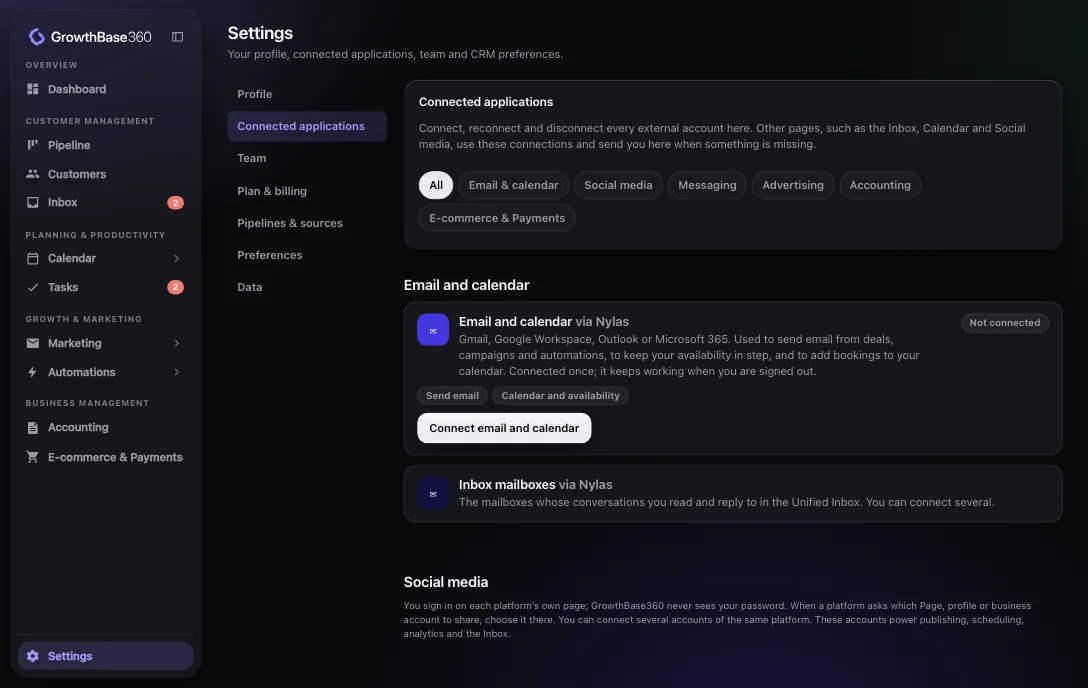
One place for every connection
Settings, then Connected applications, shows what is connected, lets you reconnect or disconnect, and only ever shows something as connected when the provider confirms it.
Bring your business together.
Discover a smarter way to manage, market and grow your business.