
CRM & Customer Management
Your pipeline and every customer in one view.
Manage customers, grow your audience, automate your processes and run your business from one connected platform. Everything you need to move your business forward, in one place.
Most businesses grow one app at a time. Before long, the work of keeping them in step becomes a job of its own.
Five areas of work, all built around the same customer record.
Your pipeline and every customer in one view.
Plan content, reach your audience and capture enquiries.
Conversations and meetings, tied to the customer.
Let routine steps run on their own.
Documents, payments and orders next to your customers.
These are real screens from GrowthBase360, shown with sample data.
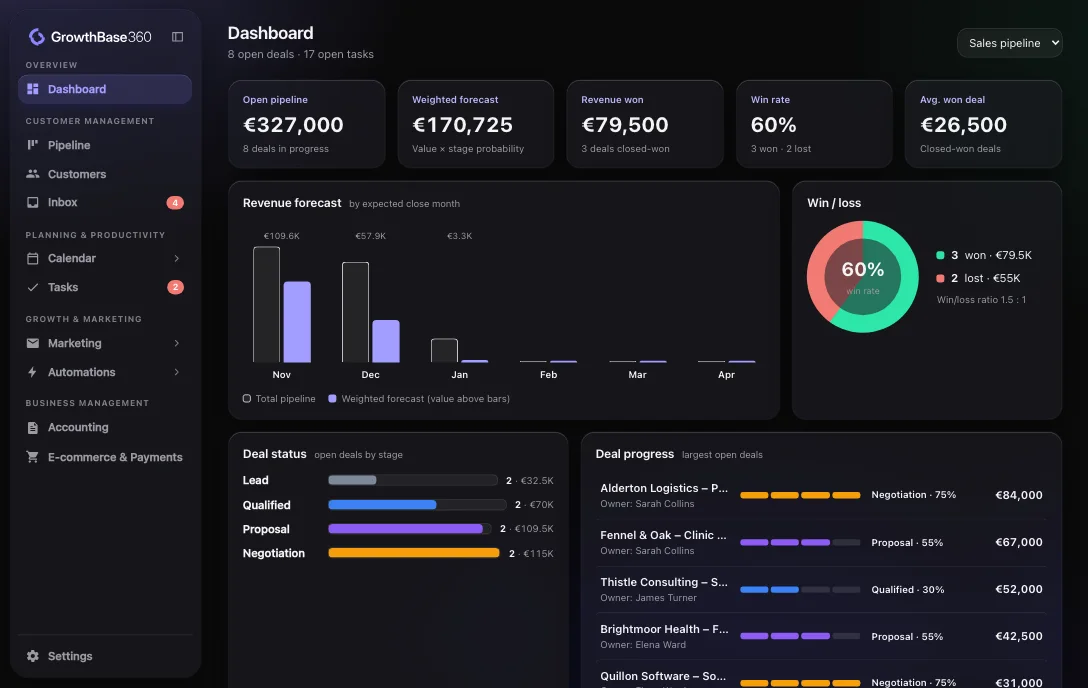
Dashboard
Open pipeline, weighted forecast, revenue won and win rate, with a forecast by expected close month.
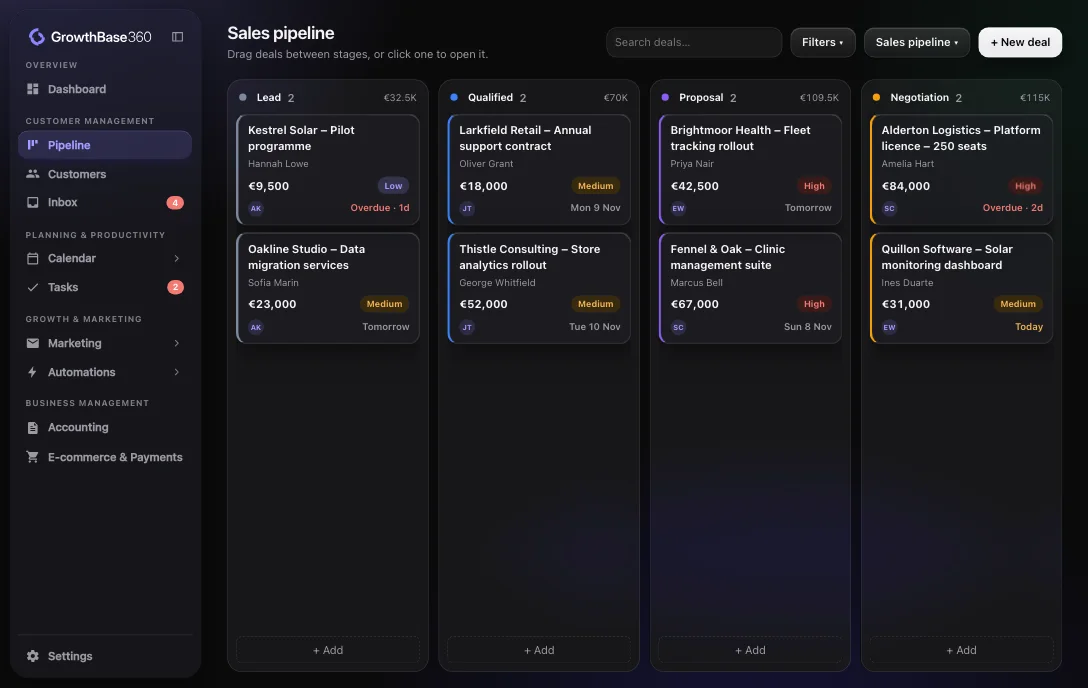
Explore CRM & SalesSales pipeline
Drag deals between your own stages, filter what you see and keep several pipelines side by side.
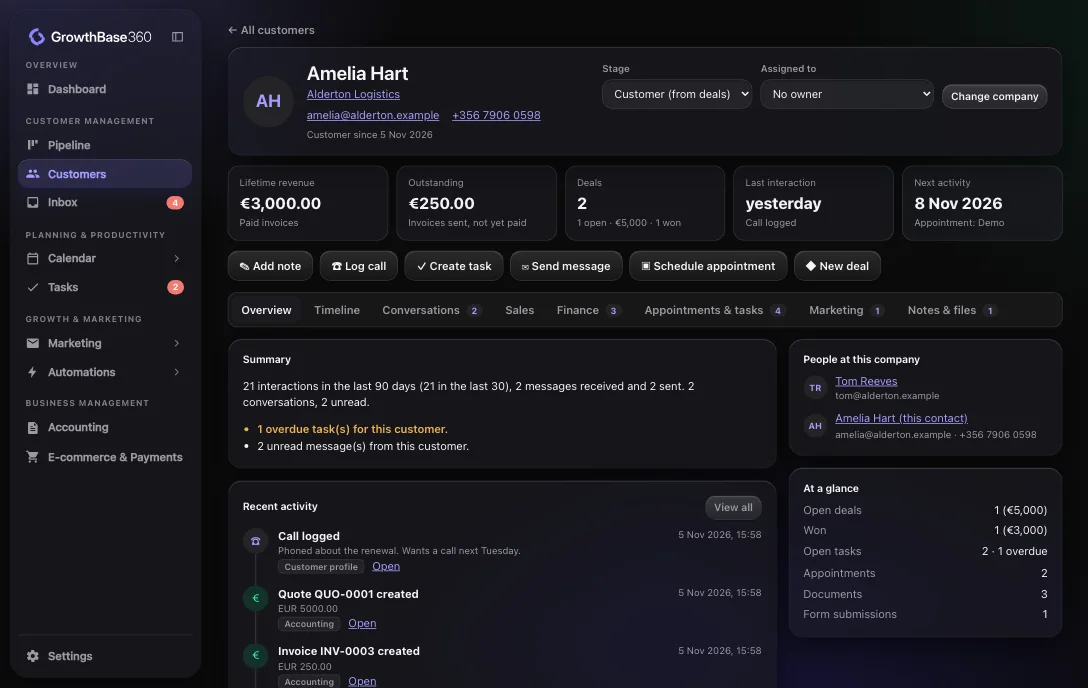
See how pipelines workCustomer 360
Conversations, deals, invoices, payments, orders, appointments and tasks on a single profile.
Explore Customer ManagementUnified Inbox
Assign conversations, leave internal notes and see the contact and their deals beside every message.
Explore the Unified Inbox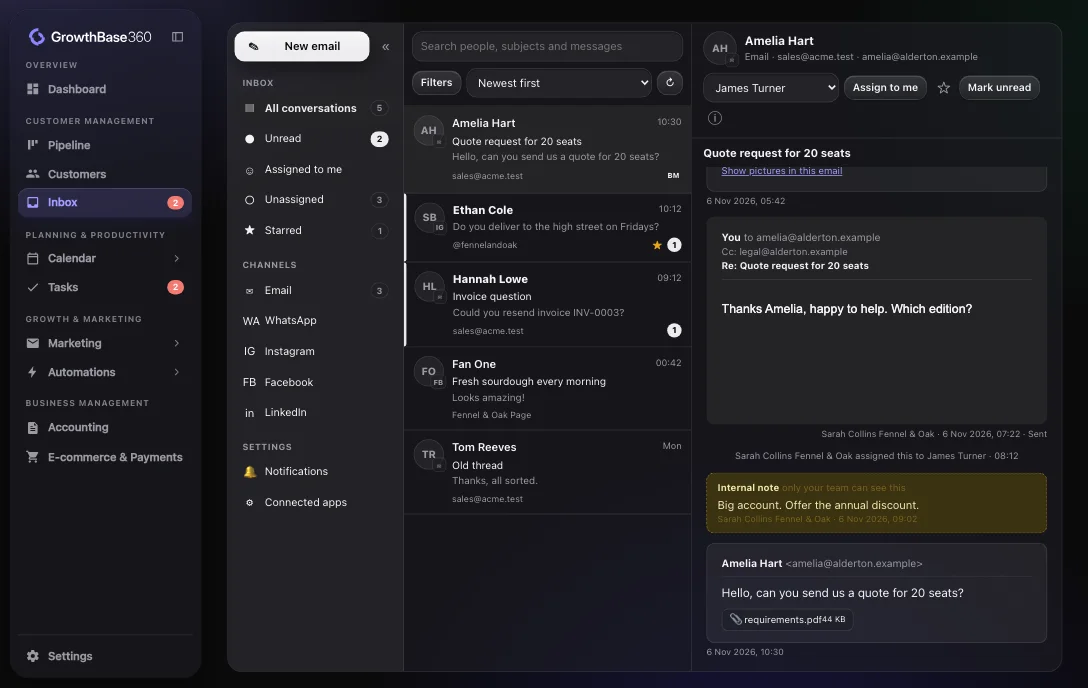
Social media planner
Review ideas, keep your brand profile to hand and schedule posts to your connected accounts.
Explore Social Media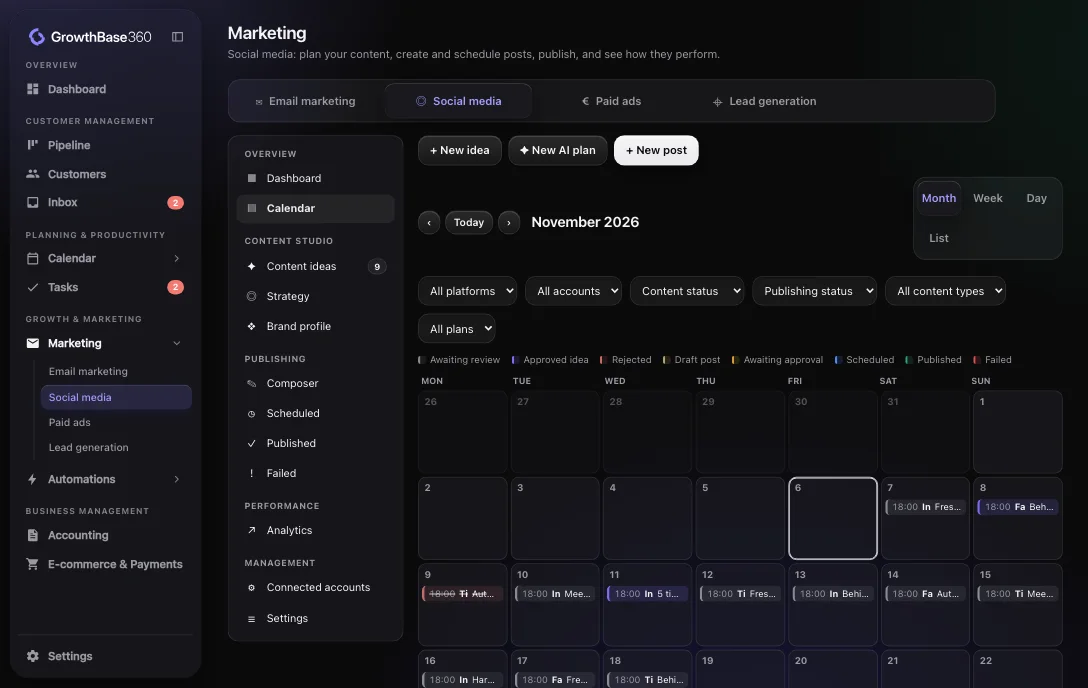
Automation builder
Choose a trigger, add your steps, test it and switch it on.
Explore Automations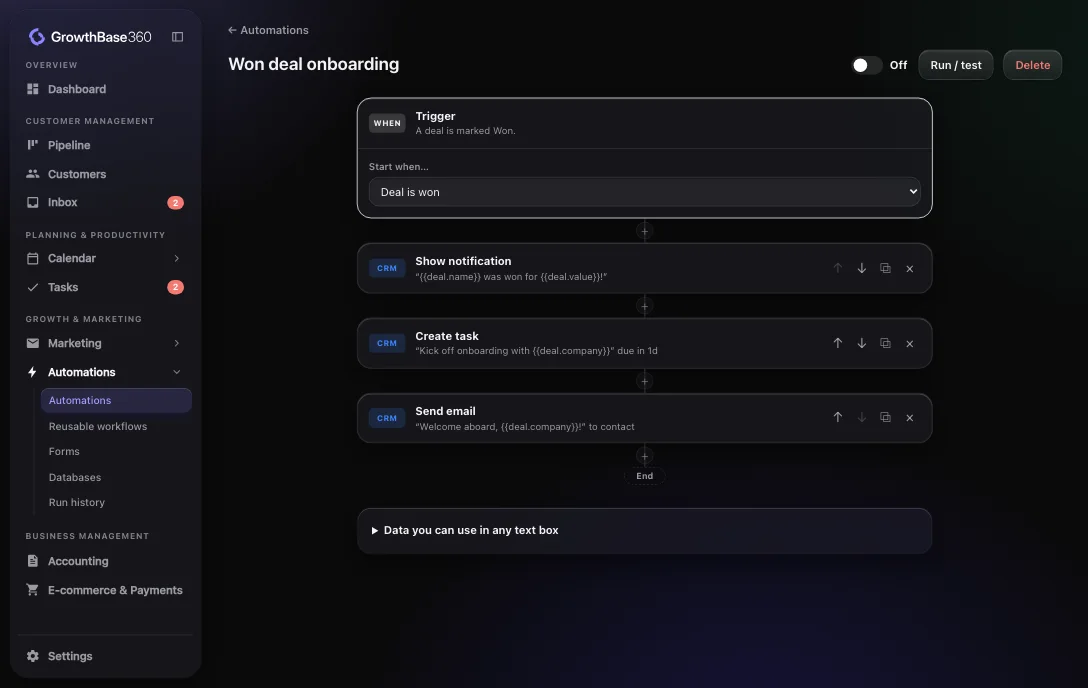
Accounting and invoicing
Create quotes, invoices, receipts and credit notes with automatic numbering, and print or save them as PDF.
Explore Accounting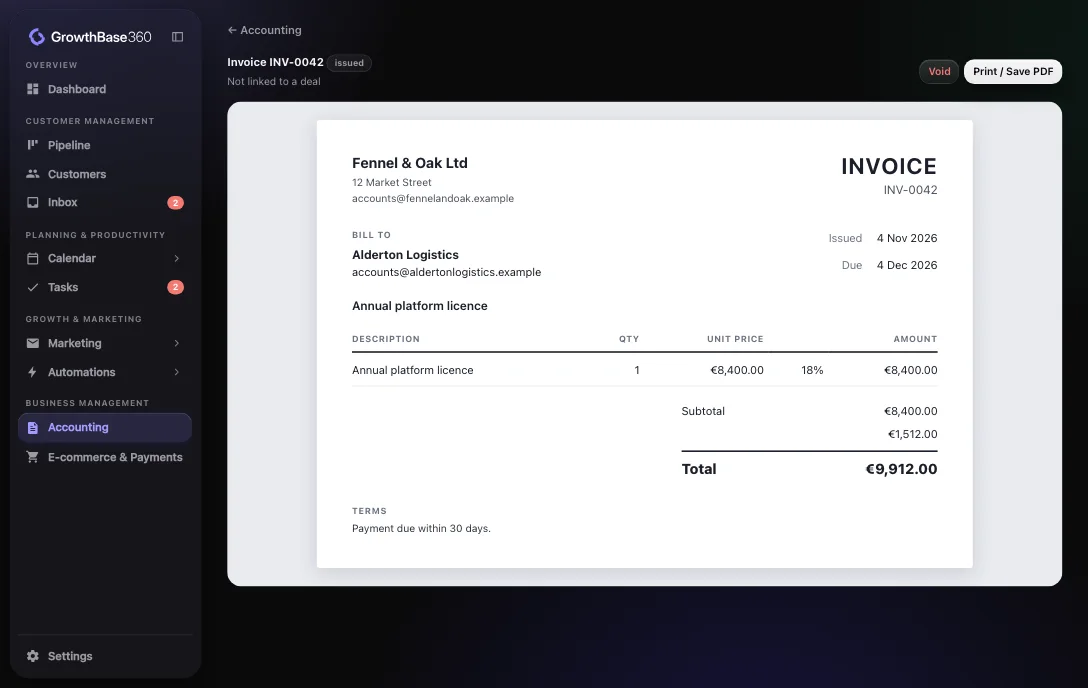
Automation
Automations connect the activities that usually sit in separate tools, and they keep running even when nobody is signed in.
An example automation
Integrations
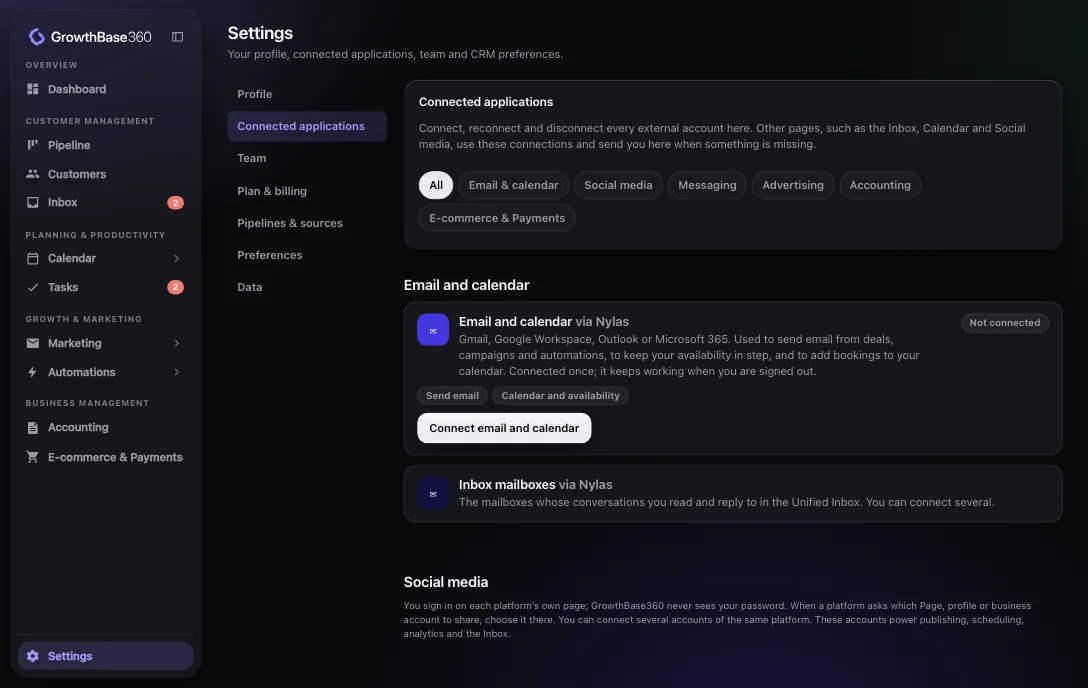
Connect them once in Settings and their information appears where you work: email in the inbox, invoices on the customer, orders beside the deal.
One record per customer, shared by everyone on the team.
Forms and landing pages create contacts and deals in your pipeline.
Fewer tools to learn, pay for and keep in step.
Tasks, updates and emails that run by themselves when something happens.
Invite colleagues with roles, assign conversations and share one workspace.
Pipeline, conversations, documents and orders, all in one place.
Pricing
Start on the Free plan with the full platform for up to 3 team members. Pro removes the limits; its price has not been announced yet.
Free
ProPrice to be confirmed
FAQ
GrowthBase360 is an all-in-one business growth platform. It brings customer management, sales pipelines, email and social media marketing, lead generation, booking, automation and business documents together in one shared workspace.
Small and growing businesses, founders and teams that want one connected place for their customers and day-to-day work, instead of a separate tool for each job.
Yes, and a CRM is at its centre: pipelines, deals, contacts, companies and tasks. Marketing, the inbox, booking, automations and accounting documents are built around that customer record.
Yes. You can plan content on a calendar, review AI-assisted content ideas, keep a brand profile, write and schedule posts, and see the results the platforms report. Publishing runs through our integration with Zernio.
Yes. An automation starts from a trigger, such as a deal changing stage, a form being submitted or a meeting being booked, and then runs steps such as creating a task, moving a deal or sending an email. Automations run on our servers, even when nobody is signed in.
Yes, from Settings under Connected applications: email and calendars, social accounts, WhatsApp, Xero or QuickBooks, Shopify, WooCommerce and Stripe.
Yes. You invite colleagues to your workspace with a role of owner, admin or member. Each business has its own private workspace, and nobody outside it can see its data. The Free plan allows up to 3 team members.
It lets you create quotes, invoices, receipts and credit notes, and it can show figures from Xero or QuickBooks Online. It is not a full bookkeeping system, so you would keep your accounting software for your books.
Yes. Deals move through your own pipeline stages, and each customer has a profile showing their conversations, deals, invoices, payments, orders, appointments and tasks.
Connecting Google is optional and you choose what to connect. Connections run through our email and calendar provider, Nylas, and you approve them on Google’s own consent screen.
You can disconnect at any time, which revokes our access. We never sell Google data, use it for advertising, or use it to train AI. Details, including what happens to messages already copied, are in our Privacy Policy.
Discover a smarter way to manage, market and grow your business.
We only use what is needed to run this website. If we add analytics or advertising cookies later, they stay off until you agree. Cookie Policy